
Oil Painting Portrait Generator — visible brushwork, glazed shadow
Oil painting shows its process: brush direction, impasto ridges, glazed shadows built up in layers. This template keeps the brushwork visible instead of smoothing it into digital paint, so the portrait holds up when viewed closely.
You can also turn this style into a short looping animated GIF — billed by credits, no free tier.
Best for formal portraits, historical styling, and gallery-poster concepts. Describe the light source — north window, candlelight, single lamp — and the period of the clothing.
What this style actually produces
- —Visible directional brushstrokes and impasto
- —Layered glazed shadows, warm-cool light balance
- —Canvas weave texture in the flat areas
- —Free to start after sign-in
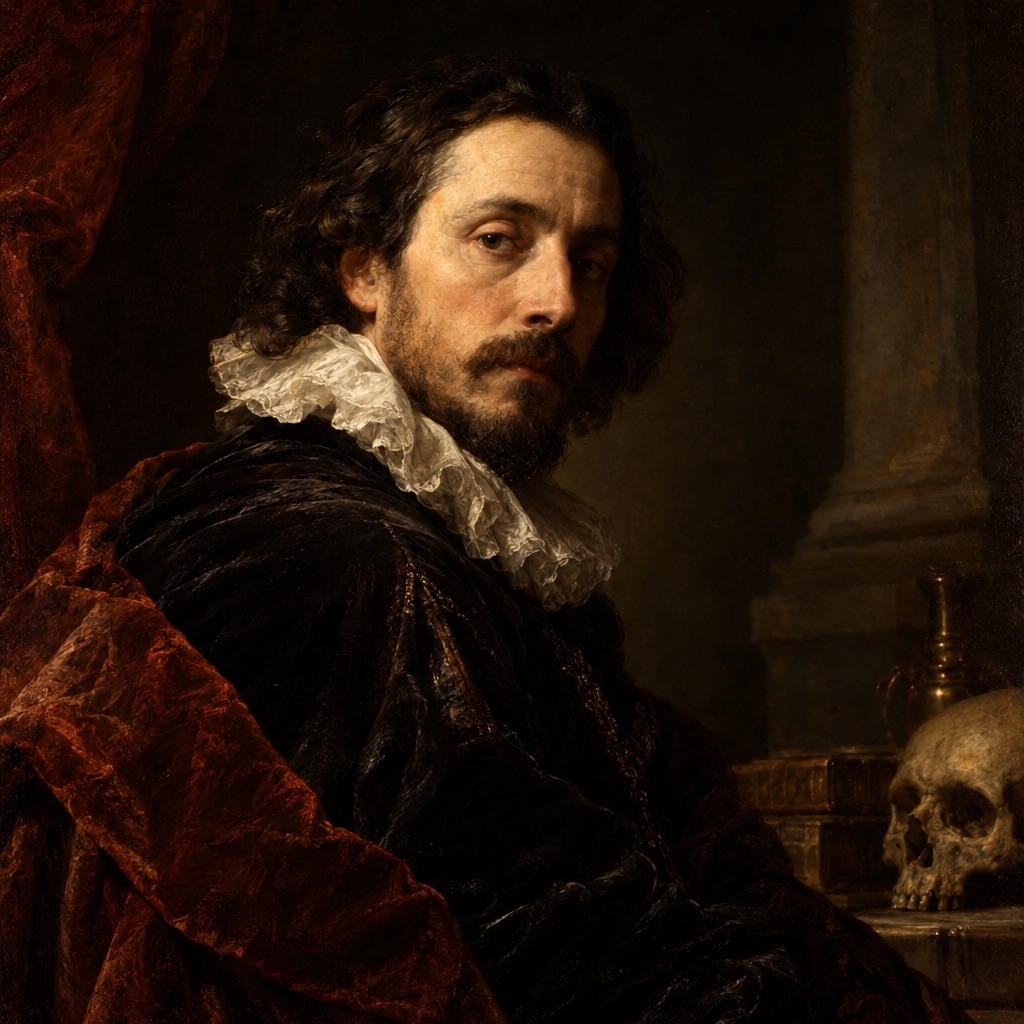
Oil Painting template sample
Three steps, art in seconds
- 01
Open the generator
The style comes preselected as Oil Painting.
- 02
Describe the character in one line
Two or three specifics: hair, outfit, one prop.
- 03
Generate and download
Static images render in seconds (GIFs take longer), downloaded without a watermark.
Common questions
Should I add the artist's name for the style?
No. Name the technique instead — "Dutch golden age oil portrait, chiaroscuro" — and avoid invoking a specific artist as a style shortcut.
Why do the edges look cut out?
Digital sharpness. Ask for "soft lost edges in the shadows" and the transition from figure to background becomes painterly.
Can I make a modern subject look like an old painting?
Yes, and that contrast is the interesting part. Keep the clothing contemporary and let the lighting and brushwork carry the period feel.
Related styles
Watercolor
Generate watercolor portraits with wet-on-wet washes, pigment edges, and visible paper grain. Soft, unpolished, and printable.
Line Art
Generate clean line art: single-weight ink contours, no shading, white background. Ideal for icons, tattoos, and colouring bases.
Ink Wash
Generate ink wash (sumi-e) art: wet brush gradients, dry-brush texture, negative space, and mist. Characters, mountains, and animals.
3 free generations per day after sign-in. No watermark, images kept permanently.
Start creating